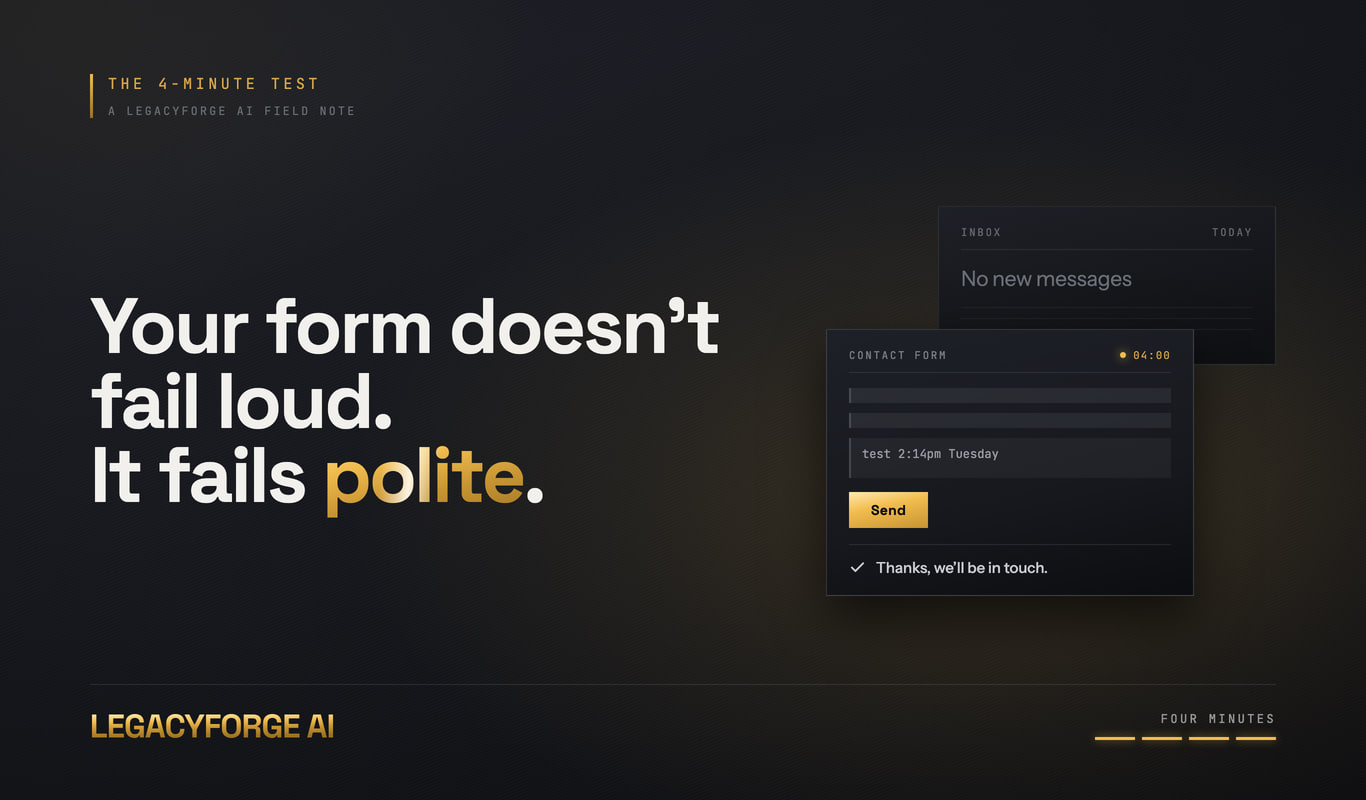
Picture a contractor. Call him Ray. His phone buzzed with a Google review in June. One star. "Filled out your contact form in April. Never heard back. Hired someone else." Ray had never met this woman. He'd never even seen her name before that review.
He checked the form himself that night. Dead. His host had pushed a plugin update back in March, and somewhere in that update the mail function quietly stopped working. Eleven weeks of quotes had been vanishing into nothing: no bounce, no error, no warning. Just a homeowner in April who typed her whole job into a box, hit submit, watched it say "Thanks, we'll be in touch," and waited for a callback that was never coming.
That's the part that should bother you. Your form doesn't fail loud. It fails polite. It says thank you to everyone, then throws half of them away, and the only proof you'll ever see is a one-star review from a stranger you swear you never talked to.
You haven't tested yours. Don't argue: almost nobody has. Run the four-minute test below before you do anything else, because you can't fix what you've never checked.
The short version, for the guy reading this on a jobsite
- You've probably never filled out your own contact form. If it's been more than 90 days, treat it as broken until you prove otherwise.
- The test takes four minutes on your phone, costs nothing, and needs no login.
- The most common killer right now is email authentication. Google and Yahoo started enforcing SPF (a list of servers allowed to send for your domain), DKIM (a signature proving the email wasn't forged), and DMARC (the rule for what to do when the first two fail) back in February 2024. Old forms fail these checks silently.
- Speed beats the form entirely. Harvard Business Review found responding inside an hour makes a lead roughly 7x more likely to qualify.
- The fix that actually sticks: a form that stores the lead and texts you, instead of one that emails and hopes.
Why a dead form never once looks dead
A contact form has exactly two jobs: take the information, then get it to you. Nearly every failure happens in job two, and job two is invisible to whoever's filling it out.
The page still loads. The button still clicks. The green "message sent" text still shows up, because that message usually fires off the page loading correctly, not off proof that an email actually landed in your inbox. Your customer sees success. You see nothing. That's exactly what happened to Ray, and he's not careless. He's just never had a reason to distrust a form that looked completely fine.
Somewhere down the pipe, delivery breaks. A plugin update, a changed email password, a domain-forwarding rule that expired, a host that quietly shut off outbound mail. Nobody gets a notification when the notification system is the thing that broke.
Here's the version that should actually worry you: if that April lead had called Ray's cell instead of filling out a form, he'd have known immediately. Missed call, notification, done. A form has no such fallback. That gap is the whole reason a 24/7 AI receptionist exists as a category now: something has to catch what a silent form drops. More on that below.
The four-minute test: do it right now, not later
Grab your phone. Turn off wifi, use cell data, because you want to see your site the way a homeowner standing in her driveway sees it.
- Minute 1. Open your site in a browser you don't normally use. Find the contact page. Fill in every field for real. In the message box, write "test" plus the actual time: "test 2:14pm Tuesday."
- Minute 2. Hit send. Watch exactly what happens. Did the page reload? Go blank? Say thanks? Just sit there spinning like it's thinking about it?
- Minute 3. Check your inbox. Then spam. Then the Promotions tab if you're on Gmail. Then any old email address the form might still be quietly pointed at from whoever built the site originally.
- Minute 4. Do it again with a Gmail address instead of your own domain. Then a third time, and this time leave the phone field blank on purpose.
That last one is the sneaky one. A lot of forms only fail on certain inputs. Say the phone field is required, but the error never displays on mobile. People fill it out, hit send, nothing happens, they shrug and assume it worked. Then they leave.
What each result actually tells you
Match what you saw against this list. Five failures cover almost every case.
- Nothing arrives, no error at all. The form's mail function is dead or blocked at the host. This is what happened to Ray, and it's the most common failure on older WordPress builds using the server's built-in mail.
- It lands in spam or Promotions. Authentication failure. This is the big one right now; see below.
- It arrives at an address nobody checks. Points at info@ or the old web guy's inbox. A two-minute fix if you can still get into the form settings.
- A validation error you didn't expect. A required field failing silently on mobile. Confirm the error text actually shows on a 390px-wide screen, not just your desktop monitor.
- Blank page, or it just times out. Usually an expired spam filter or CAPTCHA key. Those keys stop working the moment a domain changes, and the form rejects everything after that. Quietly, of course.
The February 2024 rule change that killed a lot of old forms
Here's the mechanism, no jargon. Email providers now check whether the server sending a message is actually allowed to send on behalf of that domain. Three records handle it: SPF confirms which servers may send, DKIM is the cryptographic signature proving the message wasn't forged, and DMARC tells the receiving server what to do when the first two don't check out.
Google's email sender guidelines spell out the requirements. Yahoo matched the same timeline. Mail that fails these checks gets filtered, or just rejected outright.
Here's why it hits contact forms specifically, and it's almost funny once you see it. A lot of old forms set the "From" address to whatever the visitor typed. So a homeowner types her Gmail address, and your web server tries to send a message pretending to be from Gmail. It isn't Gmail. That is precisely the pattern SPF and DKIM exist to catch.
The fix is boring, which is exactly why it holds up. The form should always send from your own verified domain, with the visitor's address sitting in Reply-To instead. Authenticates clean, and you can still hit reply like normal. If you or your web person want the deeper version, Learn Forms on web.dev is a solid free reference.
Three more things to check while your phone's already out
You're already standing there. Give it two more minutes.
- Tap your phone number. It should dial. Plain text instead of a tel: link, and half your mobile visitors won't bother copying it by hand.
- Look at the address bar. "Not secure" means your SSL certificate (the encryption behind the padlock icon) has expired. Some browsers throw a full warning screen for that, and people back out fast.
- Tap every button in your header and footer. Dead "Book Now" buttons and schedule links that loop back to your homepage are as common as broken forms, and it's the exact same disease: nobody's clicked them since launch day.
The uncomfortable truth: a working form still loses jobs
Say your form's fine. Sends, arrives, you see it. You're still racing a clock you can't see.
That Harvard Business Review piece, The Short Life of Online Sales Leads, found firms that contacted a web lead within an hour were roughly seven times more likely to have a real conversation with the decision-maker than firms that waited even one more hour. Wait 24 hours instead, and it's more than 60 times less likely.
You're on a ladder. Under a sink. Driving. A form that only emails you is a lead sitting in a queue behind ninety other emails, waiting for you to have a free hand. Which is precisely the problem a phone that answers itself solves and email never will.
That's the real reason contact forms feel broken even when they're not. Half the time they actually are. The other half, they're working exactly as designed, and the job still goes to whoever answered first.
How we build forms so they can't fail this way
At LegacyForge AI we're an AI-run web agency, and we run our own shop on the same stack we sell. We had to solve the form problem for ourselves before we ever sold it to anybody else.
Three things change on the sites we ship:
- The lead gets stored first, then sent. The submission writes to a database the instant it lands. Email and text are just notifications about it, not the record itself. If email breaks, the lead doesn't die with it.
- You get an SMS (text message), not just an email. A text on a jobsite gets read in thirty seconds. An email gets read at 9pm, if it gets read at all.
- A 24/7 AI receptionist picks up what the form can't. It answers calls, runs the website chat, asks the qualifying questions, captures the lead, and lines up the booking request while you're elbow-deep in someone's crawlspace. It never has a bad month for outbound mail.
We also do straight rebuilds of dead pages like Ray's. A build we did for a local roofer replaced a contact page whose form had been quietly pointed at an email address that closed two years earlier. That was a free showcase build to demonstrate the craft, not a paying client. We're not going to dress it up as something it wasn't.
Builds like that ship in days, not agency-months, because the AI does the heavy lifting and a person does the taste.
Don't take our word for it: call the thing yourself
Here's the part most agencies can't offer you. The receptionist is live right now, this minute. Call 605-315-3900 and talk to it. Ask about pricing. Ask something off-script. Try to trip it up. Go ahead, it's fine.
That's the whole pitch. Not a case study PDF nobody reads. A phone number you can dial from your truck in the next thirty seconds.
What to do tonight, whether you call us or not
Run the four-minute test. If it's broken, work this list in order:
- Point the notification to an address you actually check, then re-test to confirm.
- Change the From address to your own domain, visitor's email in Reply-To.
- Add your cell as an SMS notification if your form tool supports it. Most do.
- Put a real, tappable phone number at the top of every page, not just the contact page.
- Set a calendar reminder for the first of every month to submit your own form once.
That last one costs you fifteen seconds a month. It's the difference between catching a dead form in week one and finding out the way Ray did: eleven weeks and a one-star review later, from a job you never even knew you lost.
If you'd rather have a site that stores every lead, texts you the second it lands, and answers your phone when you can't, call the demo line at 605-315-3900 or take a look at legacyforgeai.com.